
Hillscom HCM
Client Hub and Document Control in Hillscom HCM
Documented information is where many management systems quietly fall behind: procedures that no longer match the work, approvals lost in email and nobody sure which version is current. The HCM client hub keeps your organisation profile, documents, approvals and register together, connected to the gap analysis that tells you what they need to say.
Everything about your organisation, in one hub
An organisation profile that feeds everything else. The hub starts with a structured profile of your organisation: what you do, your sites, your structure, key contacts, interested parties and processes. It is completed one section at a time, with a progress bar so it never feels like a form to be filled in one sitting. The profile is not paperwork for its own sake. It is what your documents are drafted from, so it is written once and used many times.
Your existing documents, kept safe. Reference documents, such as your current manual, procedures and forms, are held read only in the hub and can be previewed in the browser without downloading. You decide, document by document, whether AI help may read them.
Documents drafted from your own answers
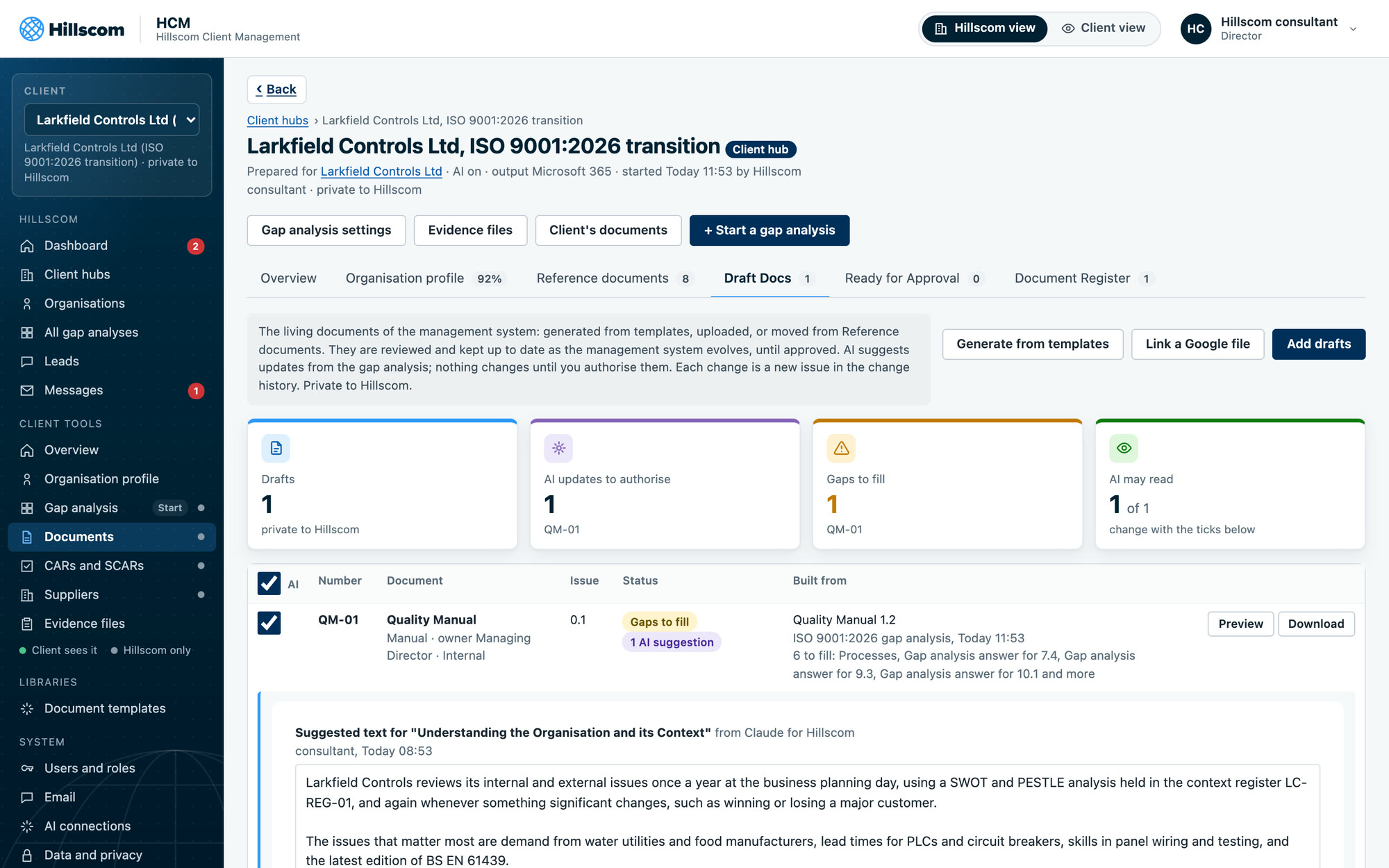
No blank pages. Draft documents such as the quality manual and core procedures are generated from Hillscom templates, filled from your organisation profile and your own gap analysis answers. Where the gap analysis has not yet given HCM enough to go on, the draft shows the gap to fill and where the answer will come from, so the document and the gap analysis close together.
Living documents, not one-off deliverables. Drafts stay connected to the gap analysis as your management system develops. When your answers change, updates can be suggested for the affected sections, and a Hillscom consultant authorises each one before it is applied. Every change becomes a new issue in the document’s change history.
Your files, your tools. Drafts can be generated, uploaded in Word, or linked from Google Docs and Sheets, so teams keep working in the tools they already use while HCM keeps control of issue, approval and history.
Approval routed to the right person
When a draft is ready, it is transferred for approval to the named key contact with a completion date. The approver reviews and replies in HCM, and the client admin moves the approved issue onto the document register. Nobody has to hunt through an inbox to find out who approved what and when, and the evidence is there for the auditor in the same place as the document.
A document register you can trust
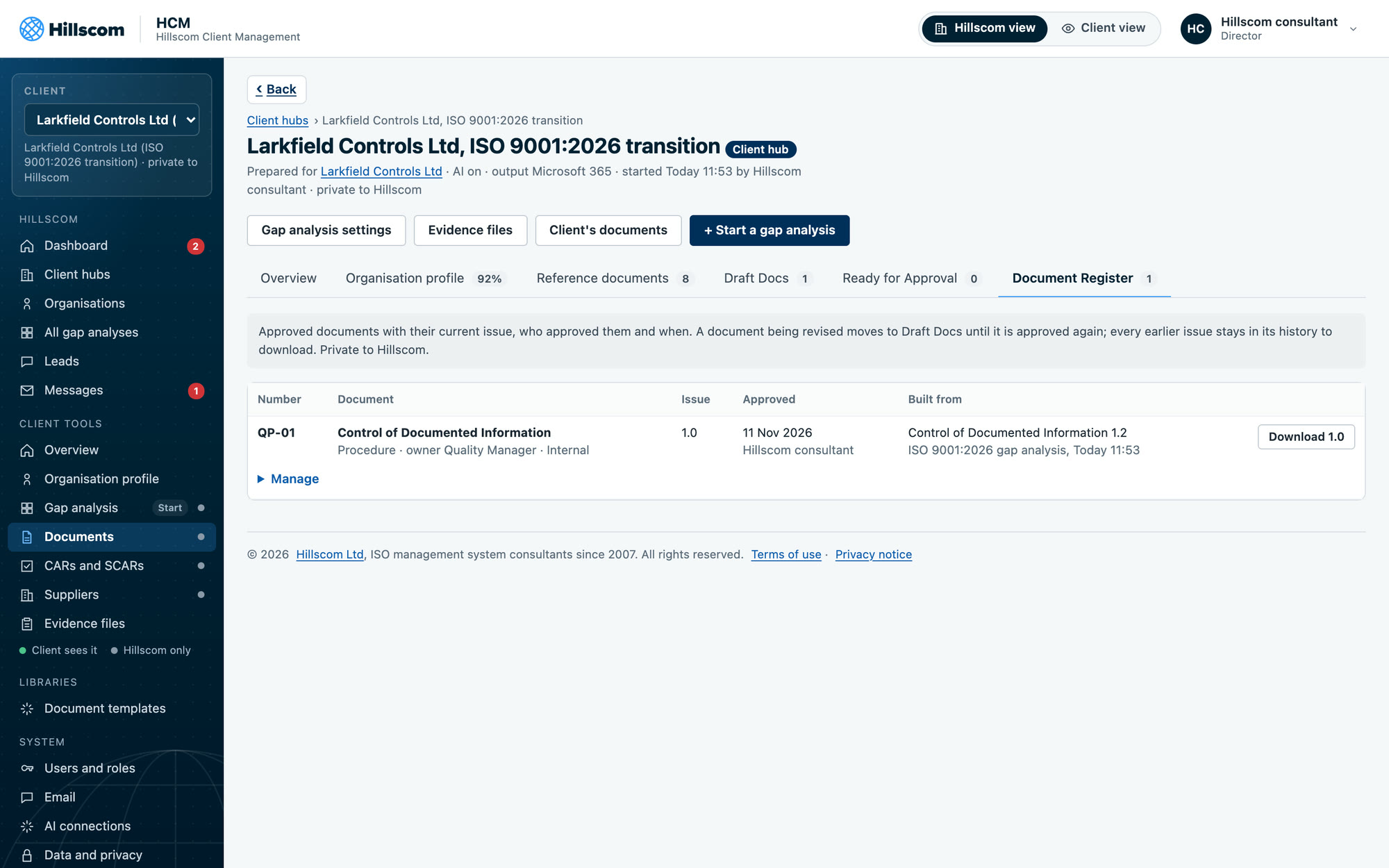
The document register lists every approved document in number order with its current issue, owner and approval, and a PDF of the approved issue is kept for linked Google files. It answers the questions an auditor always asks about documented information, such as which version is current and who approved it, without anyone opening a spreadsheet. Documents are never silently overwritten: earlier issues remain in the history.
Why we built it this way
We have written and rewritten management system documentation for organisations of every size, and the same lessons come up every time. Documents written from what people actually do survive audits; documents written from a template do not. Approval that is recorded at the time is far easier to evidence than approval reconstructed later. And documents that are disconnected from the gap analysis drift out of date within a year. The client hub is designed around all three.
Document drafts are part of HCM Professional and HCM Complete, and are how we deliver documentation on our management system implementation projects. See how drafts draw on the HCM gap analysis, read how AI help is controlled, or get in touch to talk about your documentation.
Start a conversation
Talk to Hillscom
Tell us a little about your organisation and what you are trying to achieve. The first conversation is free and straightforward.